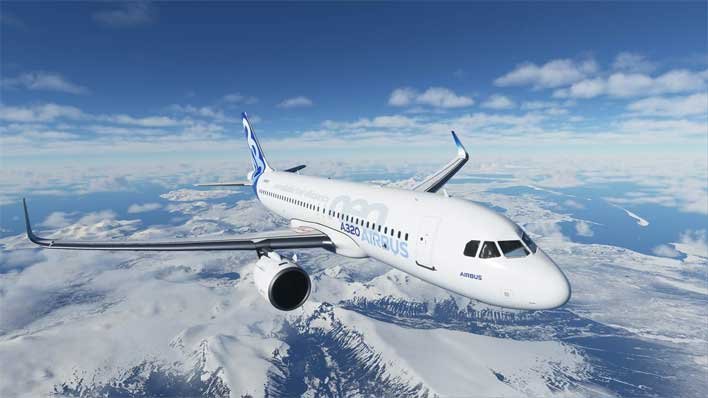
This Microsoft Flight Simulator Beginner’s Guide will show you how to get started in the latest Flight Simulator game. As a beginner, things can get slightly overwhelming even though the game does a really good job of explaining how things work.
Being a true simulator for aviation fanatics, Microsoft Flight Simulator comes with every important feature and button required for flying an aircraft. If you have just started the game or are about to start your adventure, it is best to get familiar with a few things before you dive into the challenge of flying your first aircraft.
Microsoft Flight Simulator Beginner’s Guide
Below we have detailed some tips as a beginner in Microsoft Flight Simulator.
Learn the Basics with Training
Microsoft Flight Simulator has several Training missions that will be introduced to you right from the start. This includes basic tasks like landing and taking off with the required conditions that are acceptable for the aircraft and the runway.
While Training gives you a good taste of the basics, it is not the most reliable way to learn how to fly in the long term. The Training is just to give you an understanding of the very basics of flying and how things feel in the game. You can either continue with the Training missions or move ahead to get some real challenges.
Also, it is best not to focus on competing for points this early in your gameplay. You can always return later and complete the missions when you are up to speed with the game and have a better understanding of your aircraft.
Choose a Beginner Aircraft
The most common mistake that beginners make in Microsoft Flight Simulator is that they immediately jump into jet airliner or a massive B-747. These Jumbo Jets or passenger airplanes are no easy machines that you can just take off with. As a beginner, you should focus on a small, propeller based airplane like a Cessna, which is also a great training airplane in real life.
When you get used to a propeller based aircraft, you can look for small jet engine planes, like the small private jet airplanes that you may be familiar with. These planes take your experience one step ahead by introducing you to jet engines, new flying mechanics, and of course, more speed to control.
Flight Assists
Flight assists are designed to make things easier for you, especially considering that flying an aircraft is no easy task and requires a lot of buttons you need to press and manage.
As a beginner, you should have activated all the assists before getting ready to fly. This significantly helps you in flight, without having to worry about what buttons to press, pre-flight checks, fuel control, and more.
Use the In-Flight Menu
You can use the in-flight menu that pops down from the top of the screen when you point your mouse over it. This brings down multiple options that are meant to aid you in your flight. While the menu may seem confusing at first, you will soon realize how important it is, especially for a beginner in Microsoft Flight Simulator.
The in-flight menu allows you to hand over the controls to AI when things are getting out of your hands. OR, you can control the weather, use the map to get your bearings straight, and other important features to aid you in flight.
This concludes our Microsoft Flight Simulator Beginner’s Guide. Post your comments below.